Loki Casino Client Login: Secure Access Guide for UK Players
Getting into an online casino account should be straightforward, but a smooth login also depends on using the right website, protecting your details and understanding the operator’s rules. This guide covers loki uk casino account access for players in the United Kingdom, including practical steps for signing in, common troubleshooting options and sensible security checks.
Casino websites can change their layouts, terms and available features. Always confirm that you are using Loki Casino’s official site and read its current terms before registering, depositing or playing. This article is general information, not a guarantee that the casino is available to every UK player or that any particular payment method or promotion is currently offered.
Before you sign in
Use a device and internet connection you trust. Open the casino’s official website by entering its address yourself or using a bookmark you created after checking the address carefully. Avoid login links in unexpected emails, social-media messages or advertisements. Fraudulent pages can imitate a casino’s branding to capture passwords and payment information.
- Check the website address for misspellings, unusual extensions or unexpected redirects.
- Look for a secure connection in your browser, while remembering that a padlock alone does not prove a site is legitimate.
- Do not sign in on public or shared computers if you can avoid it.
- Keep your browser and device software up to date.
- Make sure you meet the operator’s age and location requirements before attempting to play.
For UK players, an additional check is whether the operator is appropriately licensed to offer gambling services in Great Britain. Verify licensing information independently through the UK Gambling Commission’s public register rather than relying only on a logo displayed on a website. Rules can differ for Northern Ireland, so residents should check the relevant local requirements as well.
How to access your Loki Casino account
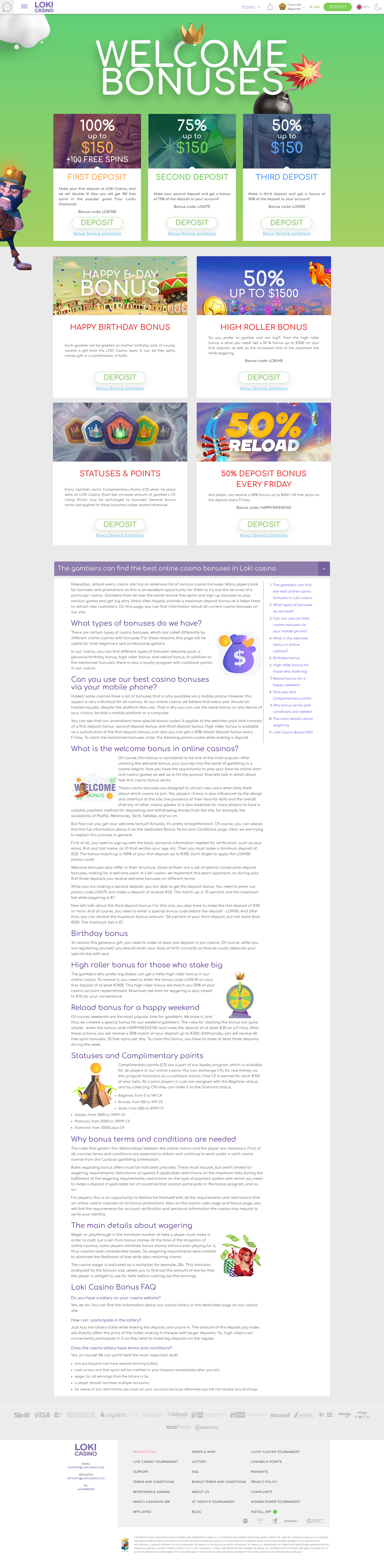
The exact labels and page design may vary, but a typical client login follows a familiar sequence:
- Open the verified Loki Casino website on your device.
- Select Log in, Sign in or the equivalent account button.
- Enter the email address, username or other identifier you used when registering.
- Type your password carefully, checking that Caps Lock and your keyboard language are correct.
- Complete any extra identity or security check requested by the site.
- Once signed in, review your account and cashier details before making a deposit or placing a bet.
If you are new to the site, choose the registration option instead of trying random credentials. Enter accurate personal details and use your own payment method. Casinos may request identity or address documents to meet legal and fraud-prevention requirements, and account information that does not match your documents can delay verification or withdrawals.
Protect your password and personal information
Create a unique password that you do not use for email, banking or other gambling accounts. A password manager can help generate and store a long password securely. Do not share your login, one-time codes or identity documents through informal messaging channels. Casino support should not need your password to investigate an account problem.
If the casino offers multi-factor authentication, consider enabling it. This adds a second verification step and can make an account harder to access even if a password is exposed. Sign out after using a shared device, and avoid saving credentials in a browser on a computer that other people can access.
Be cautious of messages that claim your account will be closed unless you click a link immediately. Instead of following the link, visit the casino’s verified website directly and check your account notifications there. If you suspect that you have entered your details on a fake page, change the password from a trusted device and contact the casino through its official support channel.
Common login problems and sensible fixes
Incorrect email or password
Re-enter your details slowly and check for extra spaces, spelling mistakes or an incorrect keyboard layout. If you normally use an email address, make sure you are not entering a username instead, or vice versa. Avoid repeated guesses: too many failed attempts may temporarily lock the account.
Forgotten password
Use the site’s password-reset option and follow the instructions sent to the email address or phone number associated with your account. Check spam and junk folders if the message does not appear. Do not share a reset link or verification code with anyone. If you no longer have access to the registered contact details, ask official support how to update them securely.
Page will not load or keeps returning to the login screen
Check your internet connection, then try refreshing the page. You can also update your browser or clear the site’s stored cookies, but note that this may sign you out of other services. If possible, test a different trusted browser or device. Avoid downloading unofficial apps or software that claim to bypass a login problem.
Account is locked or verification is pending
A security lock can follow repeated failed attempts, unusual activity or a request to verify your identity. Contact the casino using details found on its verified website. Provide only the information needed through its secure process, and ask what is required, how to submit it and whether any account restrictions apply while checks are underway.
Questions and answers
Can I log in from a mobile phone?
If Loki Casino’s website supports mobile browsing, you may be able to use it through a current mobile browser. Check that the address is correct and avoid unofficial applications. The available experience can differ by device, browser and location.
What should I do if the password-reset email never arrives?
Confirm that you entered the registered email address correctly and check your spam folder. Wait briefly before requesting another message. If it still does not arrive, contact official support and ask them to verify which recovery options are available.
Why might the casino ask for identity documents?
Operators may need to confirm age, identity, address or payment ownership as part of legal, security and anti-fraud checks. Follow the instructions on the official site, submit documents only through the operator’s approved secure channel, and never send original documents to an unverified contact.
Can I create another account if I cannot access the first one?
Do not create a duplicate account as a workaround. Multiple accounts may conflict with the casino’s terms and could complicate verification, bonuses or withdrawals. Ask support to help recover or review the existing account instead.
Check the casino before depositing
Successful login does not confirm that an operator is suitable for you. Before depositing, read the terms for withdrawals, verification, bonus eligibility, fees, payment processing and account closure. Check whether the payment method is available to you and whether the name on it must match your casino account. Do not rely on promotional headlines alone; bonus offers commonly have wagering conditions and other restrictions.
Set a budget before playing and treat gambling as paid entertainment, not a way to earn income. Use any available deposit, time or loss limits, and take a break if play stops feeling enjoyable. Never borrow money or chase losses. If gambling is causing harm, stop and seek help from a recognised support service in your area. In Great Britain, GamCare offers information and support, while the national self-exclusion scheme, GAMSTOP, can help eligible players restrict access to participating online gambling businesses.
When to contact support
Contact customer support if a password reset fails, an account remains locked, your verification status is unclear or you see activity you do not recognise. Use the contact details displayed on the verified casino site, and keep a record of the date, time and any case reference. Describe the issue without including your password or full payment-card details.
If you believe funds or personal information are at risk, secure your email account as well as your casino account. Change reused passwords, enable additional security where possible and contact your bank or payment provider if you suspect unauthorised transactions. Keep copies of relevant messages and screenshots, but store sensitive documents safely.
Final checklist
- Verify the website address before entering credentials.
- Use a unique password and enable extra security if available.
- Recover access only through the casino’s official process.
- Check licensing, location eligibility and account terms independently.
- Complete verification through a secure, official channel.
- Set firm limits and do not gamble with money you cannot afford to lose.
A secure Loki Casino login begins with a verified website and careful handling of account details. If access fails, use the official recovery process rather than shortcuts, duplicate accounts or third-party tools. Most importantly, confirm that the service is lawful and available where you live, understand its terms, and keep gambling within limits that work for you.
اقرأ ايظا
 Thrills on the Digital Highway to Chicken Road 2
The menu of standard incentives is found on an advertising page plus a VIP System case of your own website
Exercise categories and you can wellness software also are accessible to offer wellness via your remain
For those who join today, you could potentially claim fifty totally free revolves
Four something number when deciding on a gambling establishment site – licensing, video game variety, extra terms and you can functionality